
New User Defined ATARI 2600 TIA Colour Palette profile.
This is a utility Palette file for Stella.
In order to use this. You unzip the file that is in the ZIP file of this file.
The File contains 128 NTSC Colour Palettes, 104 PAL colour palettes and 8 SECAM colour palettes bundled in the one PAL file.
The colour palettes I have setup myself to get it extremely close as to how you would see on a real hardware Atari 2600 console whether it’s PAL, NTSC or SECAM.
I got all these values off my PAL Atari 2600 Vadar console unmodded. same with the NTSC Atari 2600 4-switcher Woodgrain console unmodded.
The NTSC colour palettes were a challenge as I had to use the Colour Bar generator ROM on the Harmony Cartridge to run on real hardware in order to get the correct values after running for a while to make sure colour offsets $10-$1F & $F0-$FF match exactly closely identical for accuracy.
the PAL ones were more straight forward as I let the system run for a while until the colour hue shift warmup was done in order to get the colour values.
the SECAM Was just guessing and improvising, from what I read up it had 8 Primary colours. which are black, blue, red, magenta, green, cyan, yellow & white.
INSTRUCTIONS For Stella 6.0 or Later users:
USER NOTE:
This PAL file MUST be in the Stella folder directory located in your C: drive. the BOLD writing indicated the name of your username you login to your computer that this file MUST be in, otherwise Stella will NOT open your PAL file. Do NOT rename the file as it MUST say stella.pal in order for it to work on Stella.
You may need to Enable your username folder options to Show Hidden folders in order to access the AppData & Roaming folders and the Stella folder.
here’s where you MUST put the PAL file in the directory shown
C:\Users\[yourusername]\AppData\Roaming\Stella
Once your PAL file is in this exact directory.
Open Stella 6.0 or LATER
Load up a game first (e.g. Pitfall!)
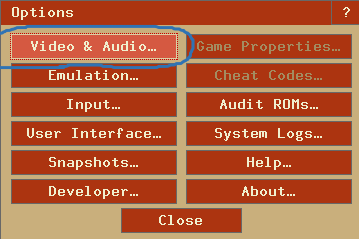
As soon as the game loads, Press “TAB” on the keyboard where this Menu pops up,
Where I circled here you click the first option “Video & Audio” – SEE OPTIONS WINDOW SCREENSHOT
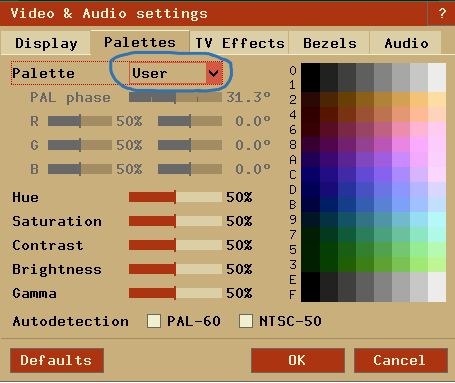
The “Video & Audio” options will show. Now where it says Palette with a drop-menu. Click the drop menu, If done right you should see a option to select ‘USER” Click that to select it. You’ll see the Game showing the palette file you chose. NOW then move the cursor down and Click “OK”
SEE VIDEO & AUDIO OPTIONS SCREENSHOT
Now you can experience playing Atari 2600 with the User-defined colour Palette that shows exactly the right colour depts you would see on a real Atari 2600 console from the 1977-1980’s.
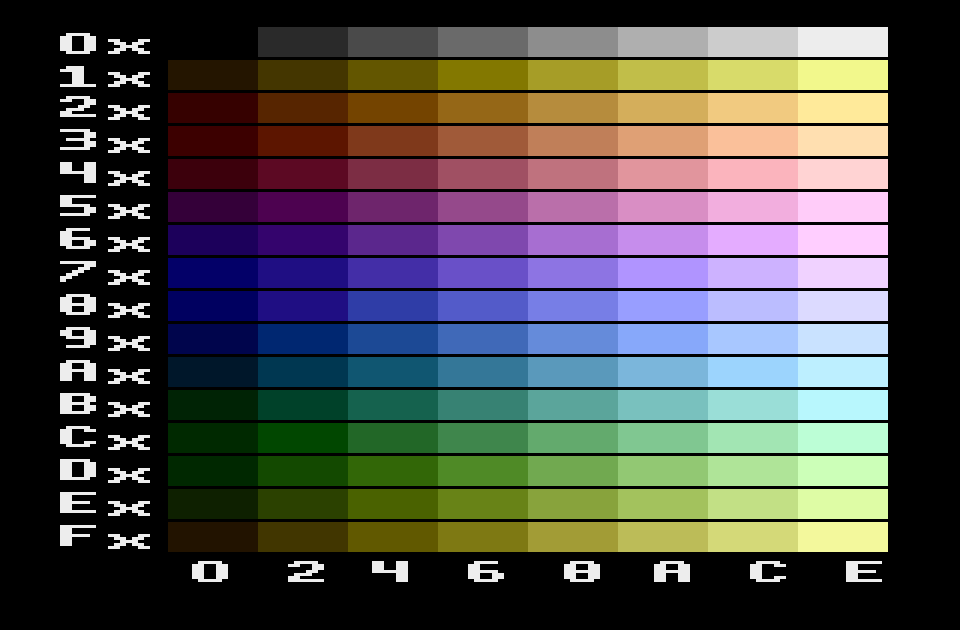
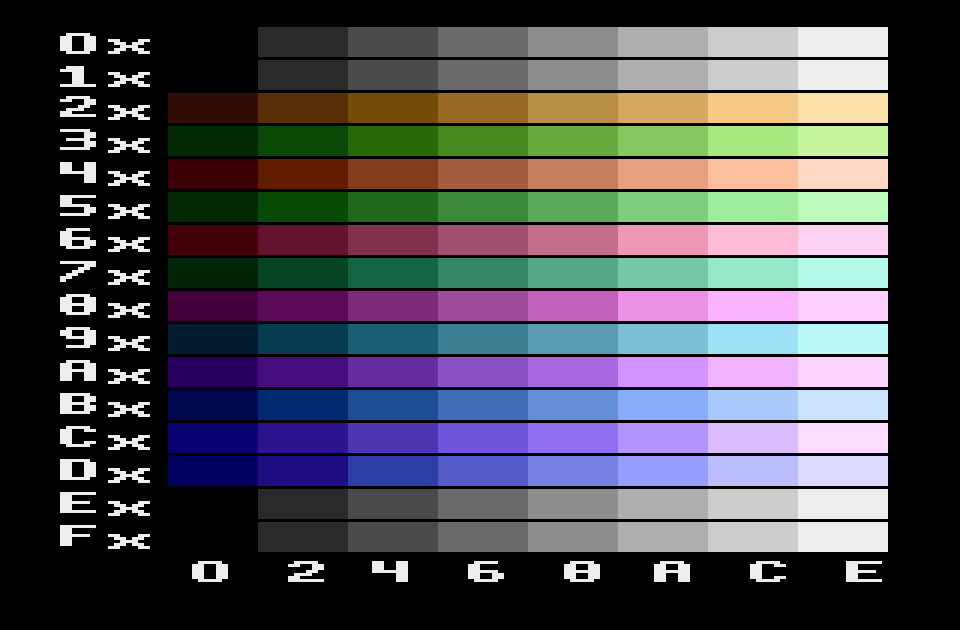
I attached the screenshots of the Palettes to show what you are seeing is what you will see on Stella.

Number of Comments: 0
View comments