
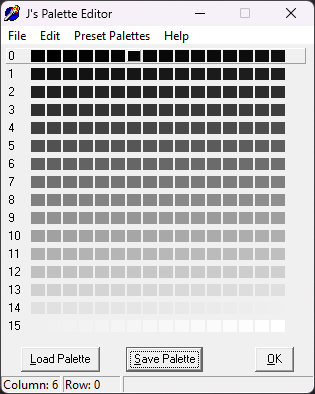
About J’s Palette Editor
a GUI for editing and converting colour palettes
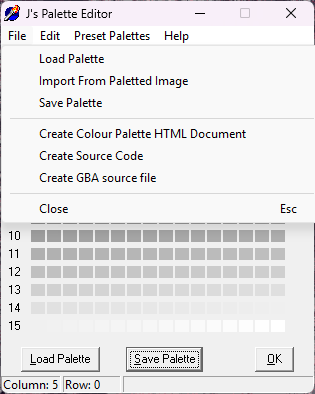
- The palette editor allows you to edit colour palette files and create source files to use in your programs.
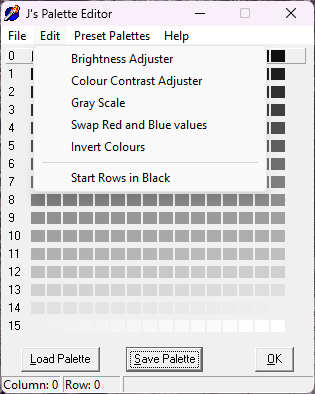
- The brightness adjuster can be used to adjust the brightness of the palette entries. It can also change the brightness in specificly red, green, and blue.
- The colour contrast adjuster, well, lets you adjust the colour contrast of all the palette entries. You can also grayscale the image by using a really low colour contrast.
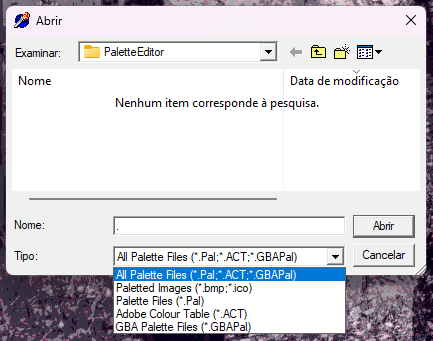
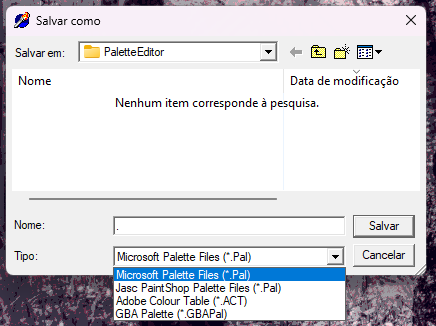
- The program also converts palette formats to other available formats.
- The program is very easy to use.
Palette File Formats
Jasc PaintShop Palettes (*.pal)
- These are text files that store each palette entry on a separate line and separate the red, green, and blue values with single spaces.
- Load a Jasc Palette into notepad and you’ll get a good idea of it. Check the spec’s for more detail.
Microsoft Palettes (*.pal)
- These are binary files that store each palette entry as a 32-bit value.
- There is 27 bytes of header before the start of the palette entry data.
- There is a dword starting at the 23rd byte defining the number of palette entries in the file.
- The 1st palette entry starts at the 27th byte.
- Check Microsoft’s spec’s for more details.
- This is the format supported by Tile Molester 0.19.
Adobe Colour Tables
- These are binary files that store each palette entry as a 24-bit value. There is no header section. It is strictly red, green, and blue values throughout the files.
GameBoy Advanced Palettes (*.GBAPal) / aka: Raw Palettes
- It is like the ACT files except each palette entry is stored as a word.
- A little accuracy is removed from the red, green and blue values but it is almost invisible.
- In binary, this is the format of the bits in each palette entry: ?BBBBBGGGGGRRRRR.
- The question mark stands for an unused bit.
- This is the format supported by Tile Molester 0.20 and later versions. You will need to rename it to .pal for the program to recognize it.
Paletted Bitmaps (*.bmp)
- You can get the colour palette from a bitmap by loading it in. If the bitmap doesn’t have a palette, you will be told.
- The palettes can be monochrome, 4-bit(16 colour), 8-bit(256 colour) and it will still be loaded. Any unused palette entries are turned black.
- These bitmaps are just normal Windows bitmaps.
Icons (*.ico)
- A complete format specification can be found at http://services.simac.be/vnc/single/icoFormat.html#MICCUR-DMYID.2
NOTE: Description taken from the J’s Palette Editor.html file; some additional information has been added.
File download:

Number of Comments: 0
View comments